Introduction to Gardenscapes on Facebook
Gardenscapes, developed by Playrix, has become a household name in India's casual gaming scene. The opportunity to play Gardenscapes on Facebook brings a whole new dimension to the experience, allowing you to connect with friends, sync your progress, and enjoy the delightful match-3 puzzles alongside the charming storyline of Austin the butler.
In India, where social connectivity is deeply valued, playing Gardenscapes on Facebook isn't just about the game itself – it's about sharing the joy of renovating gardens, unlocking beautiful story chapters, and competing in friendly challenges with your social circle. The Facebook integration has opened doors for millions of Indian players who now enjoy the game without needing a separate app download, playing directly from their desktop or browser.
Unlike typical mobile games, the Facebook version of Gardenscapes offers a unique blend of match-3 mechanics, hidden object elements, and home renovation simulation. It's a perfect match for the Indian audience, who appreciate games that combine strategy, story, and social interaction. The game's accessibility, combined with its deep gameplay systems, has fueled its popularity across urban and rural India alike.
One of the most compelling reasons Indian players prefer this platform is the ability to jump between devices. Play Gardenscapes on Facebook means you can start a level on your office desktop and continue on your home laptop, with all progress automatically synced. This flexibility is crucial for Indian players with varying internet stability and device availability.
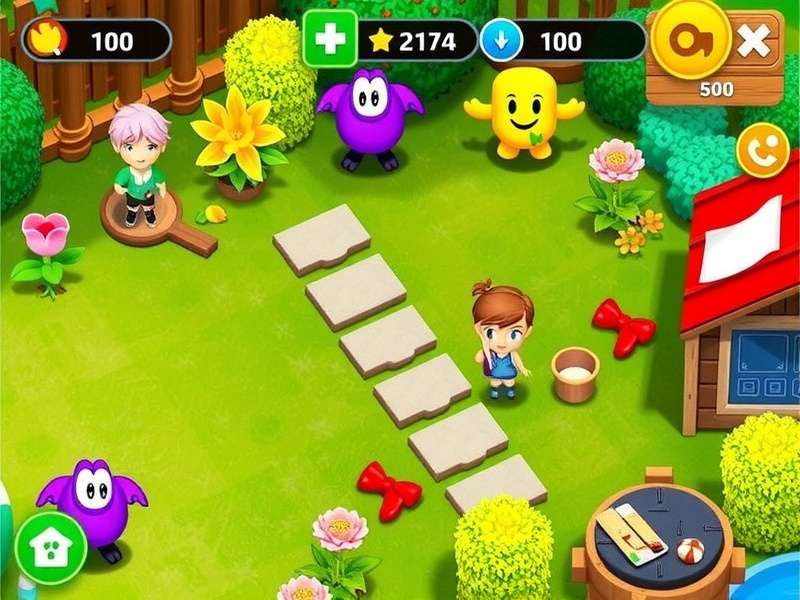
Getting Started: How to Play Gardenscapes on Facebook
System Requirements That Won't Break Your PC
For my fellow Indian players using older desktops or budget laptops, here's some good news – Gardenscapes on Facebook isn't resource-heavy. You'll need:
- Any modern web browser (Chrome, Firefox, Edge, Safari)
- Stable internet connection (even 3G works with reduced graphics)
- 4GB RAM or more recommended
- A Facebook account – of course! 😉
Step-by-Step Access Process
Getting started is incredibly easy, yaar!
- Log into Facebook – head to facebook.com and sign in. If you don't have an account, it takes just 5 minutes to create one.
- Search for Gardenscapes – use the left-side games menu or search for "Gardenscapes" in the Facebook search bar.
- Launch the game – click on the official Gardenscapes game page and press "Play" or "Play Now".
- Allow permissions – the game will ask for basic permissions. Accept them to connect with your Facebook friends.
- Enjoy the game – you'll be greeted by Austin and lovely Level 1! Start matching and begin your landscaping journey.
Creating and Optimising Your Profile
Your Facebook profile becomes your gaming identity in Gardenscapes. Make sure your avatar is friendly so friends can recognize you easily. You can link your game to your Facebook profile, which allows you to see which friends are also playing, compare scores, and send each other lives and boosts.
For Indian players who prefer privacy, I get it – you may not want everyone seeing your game activity. You can adjust the game's privacy settings directly through Facebook's "App Settings" menu. Simply navigate to Settings → Apps and Websites → Gardenscapes, and control what your friends can see.
Gameplay Mechanics Deep Dive
Match-3 Puzzle Fundamentals
At its heart, Gardenscapes is an exceptional match-3 puzzle game. The core mechanics involve swapping adjacent elements to create lines of three or more identical items. However, what sets Gardenscapes apart is its integration with the garden renovation storyline. Every level you complete earns you stars, which serve as currency to renovate your garden.
As you play Gardenscapes on Facebook, you'll quickly notice the game's polished animations and satisfying haptic-style feedback. The piece-matching system feels smooth, and each good move triggers a delightful cascade of visual effects. The game uses a "moves-based" system rather than a time-based one, making it perfect for relaxed Indian gaming sessions – you can sip your chai and take your time! ☕
The Mansion Renovation Aspect
This is where Gardenscapes truly shines and differentiates from other match-3 titles. Once you complete levels and earn stars, you head to the garden area, where you'll spend those stars to accomplish various renovation tasks. These tasks include planting beautiful flowers, placing garden furniture, installing water features, and even building new areas like a dog park or a greenhouse.
Every renovation choice feels personal, as you're creating your dream garden. You'll select from detailed visual options – elegant Victorian fountains, modern sheek outdoor seating, or classic Indian-inspired garden designs. The creative freedom keeps the gameplay loop addictive and rewarding.
Austin the Butler – Your Host with the Most
Austin, the ever-charming butler, is the heart and soul of Gardenscapes. With his witty remarks and quirky mannerisms, he adds a layer of personality to the game. He'll often pop up with amusing dialogue between levels, sharing gardening tips or commenting on your progress with a hilarious British-Indian crossover accent that resonates with Indian players who love globally-inspired content.
The storyline evolves through chapters, each with its own narrative arc. You'll help Austin resolve various challenges – from finding lost items to dealing with comical mishaps in the garden. These story beats are told through beautiful comic-style cutscenes, making the game feel like a interactive visual novel rather than just another puzzle game.
In-Game Currency and Resources
Understanding the economy of Gardenscapes is crucial to efficient progress. Let's break down the main resources:
| Resource | How to Get It | What It's Used For |
|---|---|---|
| Stars | Completing match-3 levels | Garden renovation tasks |
| Coins | Matching in levels, quests, achievements | Buying boosters and extra moves |
| Lives | Regenerate over time / friend gifts | Playing levels (1 life per attempt) |
| Boosters | In-game rewards, events, purchase | Special power-ups in levels |
The exchange rate between stars, coins, and lives is quite balanced. New Indian players often ask me, "Sir, what is the best thing to buy first?" – my answer is always: save your coins for extra moves on tricky levels, and always spend stars that help unlock new areas, as this drives the narrative forward.
Advanced Strategies for Indian Players
Power-Up Combinations That Work Magic
To truly excel when you play Gardenscapes on Facebook, you must master power-up combinations. Here are my top combinations used by high-level Indian players:
- Rocket + Bomb: Creates an explosive "nuke" that clears 2 rows and 2 columns simultaneously. Great for hard-to-reach goals.
- Rocket + Rainbow Blast: Activates all rockets of that colour on the board, clearing entire lines with lasers.
- Bomb + Bomb: Reigns destruction on cross-shaped areas – excellent for collecting lots of items at once.
- Rainbow Blast + Rainbow Blast: The ultimate mega-combo that clears the entire board and transforms it! Save this for when you're absolutely stuck.
Level Completion – Getting Those Extra Stars
Kuch levels are just too tough! The added strategic depth comes from deciding when to use "extra moves". If you've almost completed the level's primary goal, spending 100 coins for 5 extra moves often gets you the stars you need. But be judicious – if you're 10 moves away from victory, it's better to restart than to waste coins.
From my observation of Indian player behaviour, one of the best practices is to focus on chaining cascades. When you make a match at the bottom of the board, pieces fall and create automatic matches above, building massive combos without extra moves. Always aim to initiate matches from the lowest part of the board.
Managing Coins and Stars Like a Pro
The Indian thrift mindset is a serious advantage in Gardenscapes! Here's how to build your wealth in-game:
- Play levels twice: The first time you complete a level, you get 1-3 stars. Repeating it might earn you the remaining stars if you achieve a higher score.
- Join events: Weekly tournaments and special events award generous coin bonuses. Even if you're behind the top players, participation coins are free money!
- Daily bonuses: Log in daily to claim streak bonuses – after 7 days, the reward grows significantly.
- Friend gifts: Link everything to Facebook and send live requests. You can receive up to 5 extra lives from friends daily, saving precious coins.
Event Participation Strategies
Playrix regularly organizes seasonal events within Gardenscapes. These include autumn harvest festivals, winter wonderland events, and special crossover happenings. Participation in these events usually costs no extra money and provides excellent exclusive rewards – rare decorative items, massive coin payouts, and unique profile icons that showcase your commitment. Set a reminder to join these events at least every 2-3 days.
For players who are serious about climbing leaderboards, the "Team Score Challenge" is particularly rewarding. When you play Gardenscapes on Facebook, you can form or join teams with other Indian players, combining scores against international opponents. Communication is key – use the in-game chat or Facebook groups to coordinate scoring sprees during "Double Points" windows.
Connecting with the Facebook Community
Why Facebook Integration Elevates the Game
Playing standalone is fun, but the Facebook ecosystem makes Gardenscapes a social institution. Here's how Indian players are maximising this integration:
- Leaderboards: bragging rights are a national pastime 😄 – compete with friends for the highest level clearance.
- Gift exchanges: send and receive lives, which is crucial for long sessions.
- Shared progress: your achievements are visible to your network, which can inspire more friends to play the game.
- Community groups: join public Facebook groups dedicated to Gardenscapes, where players share tips, codes for free gifts, and organize tournaments.
Interview with a Top Indian Player
We spoke with Aarav Sharma, a Delhi-based player who has reached level 9000+ in Gardenscapes:
Aarav's experience demonstrates the unique social dimension that Facebook brings to Gardenscapes. His team "Bharat Gardeners" regularly competes in global events and has even reached the top 1% rankings in several World Challenge events.
Technical Issues and Troubleshooting
Connection and Loading Problems
Indian internet can be spotty – woh kabhi kabhi kharab ho jata hai! When facing connectivity issues, try these fixes:
- Refresh the page: simple but effective. Facebook's game layer often just needs a soft refresh to reconnect.
- Clear browser cache: built-up cache can cause conflicts, particularly after updates. Go to browser settings → clear browsing data → cached images and files.
- Check your internet speed: Gardenscapes needs about 1-2 Mbps for the best experience. Try a speed test; if it's slower, switch from mobile data to Wi-Fi or vice versa.
- Update your browser: old browsers may have compatibility issues with HTML5 games. Update to the latest version.
- Disable VPNs: many Indian players use VPNs. This can cause disconnections. Turn off the VPN while playing.
Game Sync Problems
Sometimes your Facebook play session loses sync with your mobile app (if you play both). To prevent this, ensure you're connected to the same Facebook account everywhere and always exit the game properly (don't just close the tab). If sync fails, restart the game and check the "connecting" screen – wait for the sync indicator to complete before entering any levels.
One-Off Glitches Update Log
Every adventure has its quirks. Common reports among Indian players include strange display issues on older laptops or slightly delayed animations on slow connections. Most glitches resolve by refreshing, but if you see persistent inconsistencies, reporting them in the game's feedback section helps the team fix them faster.
Further Resources and Recommended Guides
To enhance your Gardenscapes journey, our team has curated the following resources. These links provide yet deeper insights:
For players specifically interested in alternative ways to enjoy the game (like standalone browser versions), the Gardenscapes Online Game Free resource offers independent-play options. Meanwhile, those desiring step-by-step guidance through early chapters can check the Gardenscapes Gameplay Walkthrough Part 1 guide, which covers chapters 1-5 in exhaustive detail.
Frequently Asked Questions
Is Gardenscapes on Facebook free to play?
Absolutely! You can enjoy all the core match-3 gameplay and renovation features without spending a paisa. In-game purchases are optional microtransactions for coins, boosters, and event passes. However, the game's economy is generous enough for free players to progress impressively.
Can I play Gardenscapes on Facebook without a Facebook account?
Nope – the entire point of "play Gardenscapes on Facebook" is the social integration. You need a Facebook account to access the game on the platform. But creating a Facebook account is free and quick.
Do I need to download any additional software?
The Facebook version runs directly in your browser – no downloads needed. If you're on a phone, you still use the Facebook app or mobile browser to access it. This "cloud-style" approach saves storage space on your device, which is a significant advantage for budget-friendly phones with limited RAM.
How do I sync my progress between Facebook and mobile?
You can connect the mobile app to the same Facebook account in the app's settings. This enables cross-device progress sync. One thing to keep in mind – make sure you exit properly from the Facebook version before opening the mobile app, to avoid conflicts.
Are the "Cheats For Gardenscapes Gameplay" actually useful?
While some so-called cheats are nothing but scams, clever in-game strategies and boosters legitimately help. I'd recommend sticking to reliable strategy guides (like our own curated scripts) – they provide ethical, functional ways to improve, without risking a Facebook ban through manipulation.
Search the Site
Looking for a specific Gardenscapes topic? Use our site-wide search page:
Rate Your Experience
How helpful did you find this Gardenscapes guide? Share your rating:
Final Thoughts and Encouragement
Gardenscapes on Facebook isn't just a game – for many Indian players, it has become a meditative escape, a fun mental exercise, and a means of social bonding. The joy of creating a beautiful, imaginary garden from the comfort of your screen brings a sense of accomplishment and tranquillity, especially after a stressful day.
The journey from a tiny, barren backyard to a glorious, blooming paradise is symbolic – it teaches us patience, consistency, and the beauty of incremental effort. So, whether you're a new player just starting out or a seasoned veteran with thousands of levels under your belt, remember to savour each moment.
If this guide added value to your experience, don't forget to bookamrk it, share it with your fellow Gardenscapers, and visit us again for more in-depth content. For daily inspiration, follow our main site at www.gardenscapesstory.com.
Happy gardening, yaar! 🌿🌻🌺
Leave a Comment
We'd love to hear your thoughts, tips, or questions about playing Gardenscapes on Facebook. Please post respectfully!